
How to Use a Dark Website Browser
This guide is for small business owners and individuals seeking safe navigation of dark web resources.
$ dark web- Checklist for Small Businesses: Dark Website Browser Usage
- Understanding the Dark Web and Its Relevance for Small Businesses
- Choosing the Right Dark Website Browser
- Step-by-Step Guide to Installing and Configuring Tor Browser
- Enhancing Security and Anonymity When Using a Dark Website Browser
- Navigating .onion Sites and Dark Web Content
- Best Practices for Safe and Responsible Dark Web Browsing
- Common Misconceptions and Legalities of Dark Web Access for Businesses
- Common Mistakes and Misconceptions
- Key Takeaways
- FAQ
- Where this comes from
A dark website browser, such as Tor Browser, routes internet traffic through the Tor network to hide a user's real IP address[1]. This prevents tracking, protects against surveillance, and bypasses censorship[1]. Using Tor Browser itself is lawful in the United States[2].
Checklist for Small Businesses: Dark Website Browser Usage
| Criteria | Considerations | Risks | Resources |
|---|---|---|---|
| Need for Access | Assess business intelligence needs | Data compromise risks [3] | Curated .onion resources |
| Legality | Check local laws on dark web access | Potential legal issues [2] | Legal resources |
| Security Measures | Implement strong cybersecurity protocols | Cyber event impacts [4] | Security tools on .onion |
| Data Protection | Ensure data encryption and privacy | Risk of data leaks [5] | Privacy-focused .onion sites |
| User Training | Educate staff on dark web risks | Increased employee turnover [4] | Training resources on .onion |
Understanding the Dark Web and Its Relevance for Small Businesses
The internet consists of three layers: surface web, deep web, and dark web. The surface web includes websites indexed by search engines, such as Google. This layer is accessible to anyone. The deep web contains unindexed content, including databases, private corporate sites, and password-protected pages. The dark web is a small portion of the deep web, accessible only through specific browsers like Tor. It hosts .onion sites, which provide anonymity to users and site operators.
Small businesses may find value in accessing the dark web for several reasons:
Competitive Intelligence: Monitoring competitors can reveal market trends and threats.
Security Research: Understanding vulnerabilities can help strengthen defenses against cyberattacks.
Brand Monitoring: Companies can track mentions of their brand or products, identifying potential threats or reputational risks.
Secure Communication: The dark web allows for anonymous interactions, facilitating confidential discussions.
In 2023, over 2,100 data compromises were reported, affecting many small and medium-sized businesses (SMBs)[3]. Furthermore, 41% of small business cybersecurity professionals reported attacks in 2022, highlighting the increasing need for vigilance[6].
While accessing the dark web can be beneficial, legal and ethical considerations are crucial. Using tools like Tor Browser is legal in the United States, provided the user's actions remain lawful[2]. However, engaging in illegal activities or accessing illicit content can lead to significant legal consequences. It is essential to remain aware of local laws and regulations regarding dark web access.
This landscape is complex, and small businesses should weigh the benefits against the potential risks involved in navigating the dark web.
Choosing the Right Dark Website Browser
Tor Browser is the primary tool for accessing the dark web. It employs onion routing to enhance anonymity by routing internet traffic through multiple servers. This process effectively hides a user's real IP address, preventing tracking and surveillance[1]. Tor Browser is built on Mozilla Firefox ESR but has been modified to prioritize privacy and security[1].
Core Features of Tor Browser
Anonymity: By using onion routing, Tor conceals user identities and locations[1].
Traffic Routing: Each request is sent through various nodes, making it difficult to trace back to the user[1].
Session Isolation: Tor isolates each website visited, which means cookies and browsing history are cleared automatically[7].
Using Tor is lawful in the United States, as the act of installing and browsing with Tor does not violate any laws[2]. However, legality depends on the user's actions while using the browser[8].
Alternatives to Tor
While Tor is the most well-known dark web browser, other options like I2P and Freenet exist.
I2P (Invisible Internet Project): Primarily focuses on peer-to-peer communication. It is suitable for users who want to share files anonymously or run services without exposing their identities.
Freenet: Designed for censorship resistance, Freenet allows users to publish and share content anonymously. This is particularly useful for whistleblowers or activists in oppressive regimes.
Each of these alternatives has specific use cases that may not align with standard browsing needs. Tor is recommended for general access to .onion sites, while I2P and Freenet serve more niche purposes.
Best Practices for Using Tor
To maximize security while using Tor Browser, consider these guidelines:
Avoid Modifications: Do not alter the browser's default security settings[9].
Disable Plugins: Browser plugins can expose your IP address, so they should be disabled[5].
Use HTTPS: Always verify that the sites visited use HTTPS encryption[5].
Be Cautious with Downloads: Downloading files can risk exposing your real IP address if they contain external links[5].
In conclusion, Tor Browser is the most effective tool for accessing the dark web securely. It provides the necessary anonymity features while other options like I2P and Freenet serve specific purposes. Small businesses should evaluate their needs carefully and follow best practices to ensure safe navigation.
Step-by-Step Guide to Installing and Configuring Tor Browser
To access the dark web securely, follow these steps to install and configure Tor Browser on your device.
Downloading Tor Browser
Visit the Official Website: Go to the Tor Project's official site at torproject.org.
Select Your Operating System: Choose the version compatible with your system—Windows, macOS, Linux, or Android.
Download the Installer: Click on the download link. Ensure you’re downloading from the official site to avoid malicious versions.
Installation Process
Windows
Run the Installer: Double-click the downloaded file to launch the installer.
Follow Prompts: Accept the terms and select the installation location. Click ‘Install’.
Launch Tor Browser: Once installed, open the browser.
macOS
Open the Disk Image: Open the downloaded .dmg file.
Drag to Applications: Drag the Tor Browser icon to your Applications folder.
Launch Tor Browser: Open the Applications folder and double-click the Tor Browser.
Linux
Extract the Files: Use a terminal to navigate to the downloaded file and run
tar -xvzf tor-browser-linux64-*.Run the Browser: Navigate to the extracted folder and execute
./start-tor-browser.Follow On-Screen Instructions: Complete any setup prompts.
Android
Download from Google Play: Search for ‘Tor Browser’ in the Google Play Store and download it.
Install the App: Open the app and grant necessary permissions.
Launch Tor Browser: Follow the prompts to start browsing.
Initial Configuration Steps
Connect to the Tor Network: Upon first launch, click ‘Connect’ to join the Tor network.
Adjust Security Settings: Access the security settings by clicking on the shield icon. Set the security level to ‘Safest’ for maximum protection against attacks.
Disable JavaScript: For enhanced privacy, consider disabling JavaScript under the security settings, as it can be exploited to reveal your identity[9].
Best Practices for Security
Avoid Modifications: Do not change default settings, as this could compromise anonymity[9].
Use HTTPS: Always ensure the sites you visit use HTTPS encryption for secure communication[5].
Be Cautious with Downloads: Files like PDFs or DOCs can expose your real IP if they contain external links[5].
By following these steps, you can install and configure Tor Browser effectively, allowing you to navigate the dark web securely.
Enhancing Security and Anonymity When Using a Dark Website Browser
Using a dark website browser, such as Tor Browser, requires careful security measures to enhance privacy and anonymity. Here are essential practices to follow.
Use a VPN
Before connecting to Tor, using a Virtual Private Network (VPN) is crucial. A VPN encrypts your internet traffic and masks your IP address, adding an extra layer of security. This is particularly important since over 2,100 data compromises were reported in 2023, with many targeting small and medium-sized businesses[3]. A VPN helps mitigate risks associated with potential data breaches on the dark web.
Disable JavaScript
JavaScript can be exploited to reveal your identity or location. It is advisable to disable JavaScript in Tor Browser's security settings. This is true if you want to maximize your anonymity while browsing .onion sites. However, some websites may not function correctly without JavaScript. Assess your needs and proceed accordingly.
Avoid Personal Information
Never use personal information or credentials while on the dark web. This includes email addresses, real names, or any identifiable data. Engaging in activities that require personal information can lead to significant risks, including identity theft or legal issues.
Be Cautious with Downloads
Downloading files from the dark web presents inherent risks. Documents like PDFs or DOCs may contain links that, when opened, could expose your real IP address[5]. This scenario is particularly dangerous if the application used to open the file is not configured to run through Tor. Always be cautious and consider using a separate device for downloads if necessary.
Summary of Best Practices
Use a VPN: Encrypts traffic and hides your IP address.
Disable JavaScript: Reduces the risk of identity exposure.
Avoid Personal Information: Protects against identity theft.
Be Cautious with Downloads: Prevents accidental exposure of your IP.
By following these practices, you can enhance your security and anonymity while using a dark website browser, making your experience safer and more secure.
Accessing .onion addresses requires the use of Tor Browser, which facilitates anonymous browsing. To reach a .onion site, simply enter the address into the Tor Browser's address bar. For example, a legitimate resource like a secure communication platform may be found at a .onion address.
Useful Dark Web Resources for Small Businesses
Small businesses can find several beneficial resources on the dark web:
Secure Communication Platforms: These platforms allow for confidential exchanges, reducing the risk of data breaches. Examples include encrypted messaging services that operate exclusively on .onion domains.
Research Archives: Certain archives provide access to valuable information, ranging from academic papers to cybersecurity research. These can support informed decision-making in business strategies.
Open-Source Intelligence Tools: These tools can help businesses gather competitive intelligence, monitor brand mentions, and understand market trends. They often aggregate data from various sources, assisting in risk assessment and strategic planning.
Limitations of Dark Web Search Engines
While dark web search engines exist, they present significant limitations. Many of these engines index only a fraction of available .onion sites. For instance, a search engine may return results for only 10% of existing .onion content, making it challenging to locate specific resources. Additionally, the results can be outdated or misleading, as the dark web is constantly evolving.
This is particularly relevant for businesses. In 2023, over 2,100 data compromises were reported, emphasizing the need for reliable information sources[3]. Relying solely on dark web search engines may leave critical insights undiscovered.
To effectively navigate the dark web, small businesses should combine direct .onion site access with external resources and tools. This approach enhances the likelihood of uncovering valuable information while minimizing risks associated with navigating the dark web.
Best Practices for Safe and Responsible Dark Web Browsing
Navigating the dark web requires careful attention to safety and responsibility. Here are essential best practices to consider.
Use a Dedicated Operating System or Virtual Machine
For dark web browsing, using a dedicated operating system or a virtual machine (VM) is crucial. This approach isolates your browsing activities from your primary operating system, minimizing the risk of exposing sensitive data. Tools like Tails OS or a VM running Linux can enhance security. This is particularly important given that 42% of small businesses experienced revenue loss due to cyber events in 2023[4].
Avoid Suspicious Links
Be cautious with links on the dark web. Many sites can be traps for malware or scams. Stick to well-known resources and avoid clicking on links from unverified sources. This vigilance is necessary, especially since over 1,300 organizations were affected by data breaches in 2023, many of which were small to medium-sized businesses[3].
Understand the Legal Landscape
It is legal to use tools like Tor Browser in the U.S. for privacy purposes[2]. However, legality depends on the actions taken while browsing. Engaging in illicit activities can lead to severe legal consequences. Familiarize yourself with local laws regarding dark web usage to avoid unintentional violations.
Regularly Update Software
Keeping your software up to date is essential for protecting against vulnerabilities. Regular updates for your operating system, Tor Browser, and any additional security tools help safeguard your system from emerging threats. Cybersecurity professionals reported a 28% increase in attacks on small businesses since 2022, partly due to outdated security practices[6].
Anonymity is Not Absolute
While Tor provides a degree of anonymity, it is not foolproof. Users can still be tracked through various means, such as behavioral analysis or network monitoring. Maintain vigilance and consider additional privacy measures, such as using a VPN to further obscure your IP address.
Connection to Small Business Risk Management
Implementing these best practices aligns with effective risk management strategies for small businesses. Cybersecurity incidents can lead to substantial financial losses and damage to reputation. By following these guidelines, small business owners can mitigate risks associated with dark web browsing while exploring legitimate resources for competitive intelligence and security research.
By adhering to these best practices, individuals and small business owners can navigate the dark web more safely and responsibly, enhancing their security posture in a complex digital landscape.
Common Misconceptions and Legalities of Dark Web Access for Businesses
Many misunderstandings surround the dark web, particularly regarding its legality and safety for businesses. One common myth is that accessing the dark web is illegal. In fact, using the Tor Browser for browsing is lawful in the United States and many other jurisdictions[2]. The legality hinges on the user's actions rather than the act of using Tor itself. The Computer Fraud and Abuse Act does not criminalize installing or using an anonymizing browser[8].
However, engaging in illegal activities while on the dark web can lead to severe legal consequences. Businesses must be aware of specific actions that could violate laws, such as purchasing stolen data or engaging in illicit transactions. In 2023, over 2,100 data compromises were reported, with many affecting small and medium-sized businesses[3]. This highlights the importance of understanding the risks associated with dark web activities.
To stay compliant, businesses should:
Educate Employees: Ensure that all staff understand the legal implications of dark web usage.
Monitor Activities: Regularly review access logs and user activities related to dark web browsing.
Implement Policies: Create clear guidelines on acceptable use of dark web tools for research or competitive intelligence.
It is also essential to clarify that while the dark web harbors illegal content, it can serve legitimate purposes. For instance, businesses may use it for security research or competitive intelligence. However, caution is crucial. In 2022, 41% of small business cybersecurity professionals reported attacks, a trend fueled by illegal trades on the dark web[6].
Businesses should approach the dark web with a clear strategy and compliance framework. By doing so, they can leverage the hidden resources while minimizing risks and staying within legal boundaries.
Common Mistakes and Misconceptions
Believing All Dark Web Activity is Illegal
Many users assume that any dark web access is inherently unlawful. Using Tor Browser itself is lawful in the United States[2]. The Computer Fraud and Abuse Act does not criminalize installing or connecting to the Tor network[8]. The legality depends on the user's specific actions while browsing.
Underestimating the Risk of Data Exposure
Users often believe Tor provides absolute anonymity, making them immune to data exposure. However, downloading documents like PDFs or DOCs can reveal your real IP address if opened by an application outside Tor[5]. This can lead to significant issues, especially for businesses, given that 42% of small businesses lost revenue due to cyber events[4]. Always use a dedicated, isolated environment for downloading and opening files.
Modifying Tor Browser Settings
Some users try to enhance Tor Browser's functionality by installing add-ons or changing security settings. Tor Browser is designed to prevent browser fingerprinting, and modifying it beyond default security levels can compromise this protection[9]. Installing additional add-ons or plugins is not recommended, as they may bypass Tor or harm anonymity[5].
Using BitTorrent Over Tor
A common mistake is attempting to use BitTorrent with Tor for file sharing. It is not safe to combine BitTorrent and Tor under any circumstances[5]. BitTorrent traffic can reveal a user's real IP address, completely undermining Tor's anonymity features[5]. Always avoid using BitTorrent when connected to the Tor network.
Relying Solely on Dark Web Search Engines
Users often expect dark web search engines to function like conventional ones, providing comprehensive results. Dark web search engines index only a fraction of available .onion sites, making it challenging to find specific resources. The results can be outdated or misleading, limiting their utility for thorough research or competitive analysis.
Key Takeaways
We have explored the essentials of using a dark website browser. Remember these critical points for secure and effective browsing:
Use Tor Browser: It is the primary tool for accessing .onion sites.
Isolate Your Environment: Employ a dedicated OS or VM to protect your main system.
Be Skeptical of Links: Avoid clicking unverified links to prevent malware exposure.
Understand Legalities: Using Tor is legal, but illegal activities are not.
Anonymity is Not Absolute: Tor provides anonymity, but it is not foolproof.
To further enhance your understanding, we recommend exploring how to search effectively on the Tor network How to Search on Tor: Tips and Tricks.
FAQ
- What is Tor?
Tor is a privacy-focused web browser that routes internet traffic through the Tor network[1]. It hides the user's real IP address, preventing tracking and protecting against surveillance and censorship[1]. Tor Browser is built on Mozilla Firefox ESR, modified for enhanced privacy and security[1].
- Which browser has the most unfiltered search results?
No browser offers truly 'unfiltered' search results, especially on the dark web. Dark web search engines index only a fraction of available .onion sites, often providing outdated or misleading information. For comprehensive results, combine direct .onion site access with external resources, rather than relying solely on dark web search engines.
- Is it illegal to visit Tor browser?
No, using Tor Browser itself is lawful in the United States[2]. Downloading, running, and browsing with Tor is not a crime[2]. The Computer Fraud and Abuse Act does not criminalize installing an anonymizing browser or connecting to the Tor network[8].
- What browsers can access the dark web?
Tor Browser is the primary and recommended browser for accessing the dark web, specifically .onion sites[1]. It is designed to route traffic through the Tor network, providing anonymity and access to hidden services[1]. Other browsers cannot directly access .onion sites without specific configurations or proxies.
- Dark website browser free
Tor Browser, the main tool for accessing the dark web, is free to download and use. It is an open-source project that provides privacy and anonymity by routing traffic through a distributed network[1]. Users can obtain it directly from the official Tor Project website without any cost.
Where this comes from
- 1. About Tor Browser - Getting started - Tor Browser — Tor
- 2. Is using the Tor browser for privacy lawful in the U.S...
- 3. OCTOBER 2023
- 4. Identity Theft Resource Center 2023 Business Impact Report Finds Record Level of Attacks Despite High Confidence in Defense - ITRC
- 5. Tor Browser best practices - Security - Support
- 6. Uncover the Dark Web Threats Facing Small and Medium ...
- 7. Tor Project | Anonymity Online
- 8. Is it legal to browse the dark web? Myths, facts, and safer access tips – Morning Overview
- 9. Tor Browser and Network: Anonymous Web Browsing - Privacy Guides
Explore More Dark Web Insights
Discover additional resources and guides on our site.
View More ArticlesExplore more
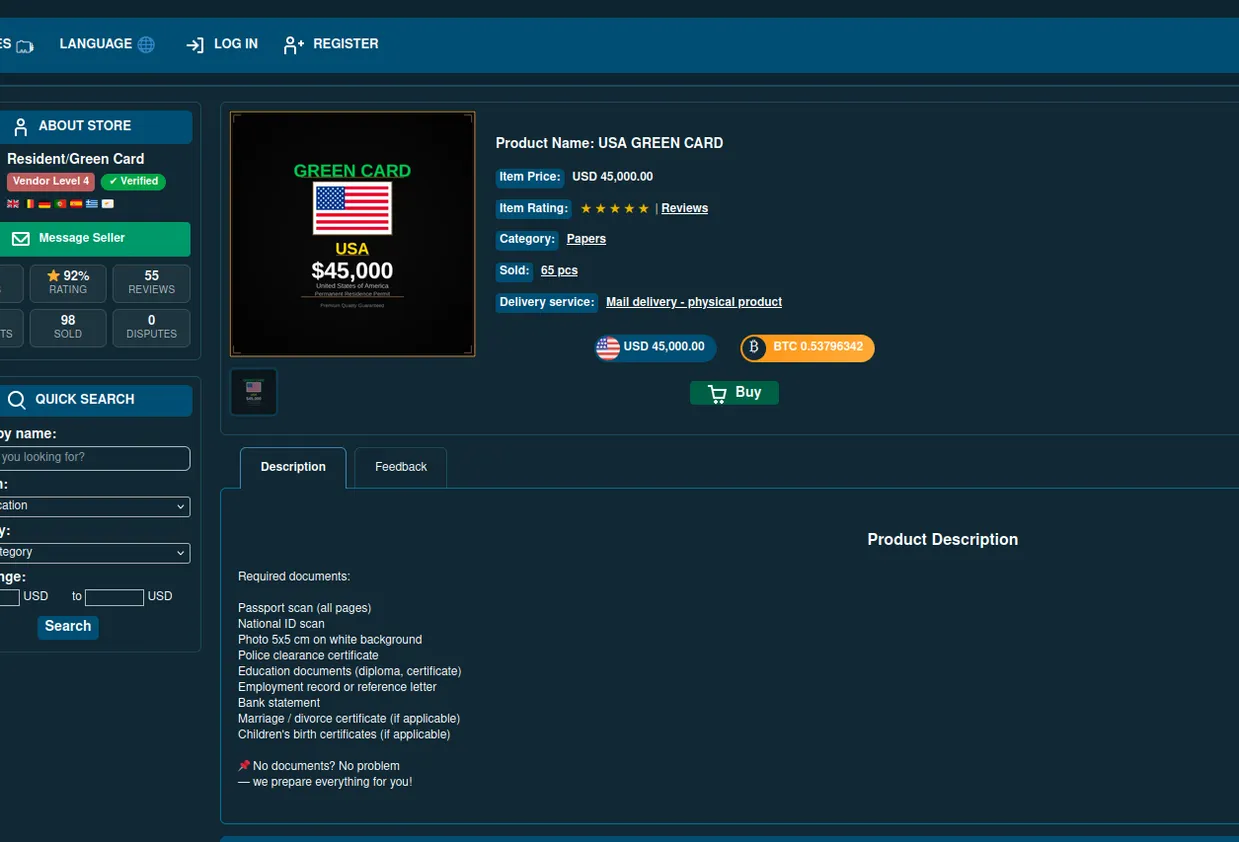
The Illusion of Buying Passports: Dark Web Scams Uncovered
We analyze dark web offers to buy passport online and green card for sale, revealing that low prices are always scams. We detail the true c…
Onion Services Overview: Reliable Platforms with Tor Versions
An overview of services with official Tor versions, explaining their benefits and how to safely access them through the Tor network.
Using The Onion Web Browser: A Comprehensive Guide
Discover how to use the Onion web browser for secure and anonymous browsing, enhancing your online privacy effectively.
Understanding Darknet Web: Key Insights
Explore the darknet web to understand its structure, risks, and potential benefits for small business owners and individuals.